Use in your browser

Check your page accessibility

Scan a public page with axe-core and Pa11y and get one automated accessibility score, separate WCAG-tagged and best-practice counts, and the top findings with affected element counts. This is not a WCAG or ADA compliance audit or certificate.

Guest includes 50 lifetime app requests. Create a free account for 100 app requests each calendar month. One allowance across every app, in your browser and your agent.One allowance across every app, in your browser and your agent. Manage usage

Web Accessibility Check

Connect agent

Guest access is available after setup. Full account linking verified by PowMCP: Claude only.

WCAG

Automated accessibility scan of one live page with separate WCAG-tagged and best-practice findings.

Usually finishes in 3 to 7 seconds.

Add Web Accessibility Check to your agent

Connect this app on its own. Add other PowMCP apps whenever your agent needs another job done.

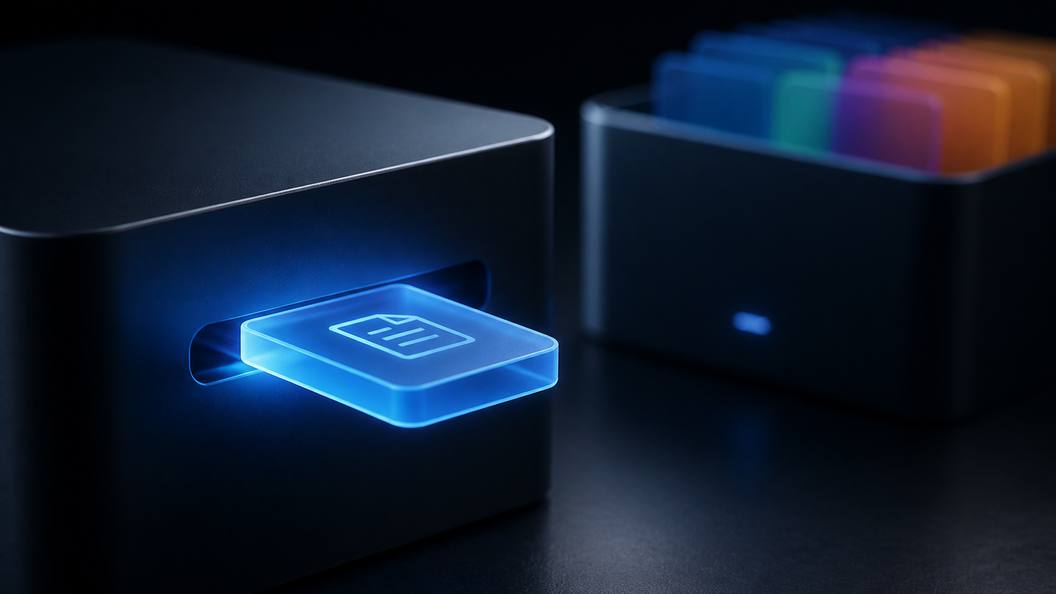
Open the apps workspace A glowing app tile clicking into a slot on a dark agent device, with the PowMCP app box behind it

Connect directly

Choose your agent. Each button opens a new tab with only this app's endpoint ready to add.

Use another agent

Copy one ready-to-send prompt for any agent that supports remote MCP connections.

Manual endpoint, JSON, and terminal commands

For clients that require manual configuration, use this app-only endpoint, its JSON entry, or one terminal command.

ChatGPT: enable Developer mode in Settings → Security and login, then add this MCP endpoint from the Plugins page. Availability depends on your account and workspace policy. PowMCP has not yet verified ChatGPT account linking. OpenAI setup guide

https://powmcp.com/web-accessibility-check/mcp
{
  "mcpServers": {
    "powmcp-web-accessibility-check": {
      "type": "http",
      "url": "https://powmcp.com/web-accessibility-check/mcp"
    }
  }
}

Terminal agents add this app with one command:

Claude Code
claude mcp add --transport http powmcp-web-accessibility-check https://powmcp.com/web-accessibility-check/mcp
Codex CLI
codex mcp add powmcp-web-accessibility-check --url https://powmcp.com/web-accessibility-check/mcp
Gemini CLI
gemini mcp add --transport http powmcp-web-accessibility-check https://powmcp.com/web-accessibility-check/mcp

Manage, disable, or remove this connection in your agent's own MCP settings. PowMCP does not label an external connection as installed without confirmation from that client.

Proof

What it does

Automated accessibility scans of any live page with Deque axe-core and Pa11y, with WCAG-tagged and best-practice findings kept distinct

Scan any public web page with two independent automated engines in headless Chrome: Deque axe-core and Pa11y (HTML CodeSniffer). Their measured findings blend into one automated accessibility score, with WCAG-tagged axe findings separated from axe best-practice findings and per-engine counts by severity. This is not a WCAG or ADA compliance audit or certificate.

Category
Developer Tools

Request cost1 completed result

Guests get 50 lifetime app requests. Free accounts get 100 each calendar month.

Tools in this app

01

Accessibility Check

accessibility_check

Runs an automated accessibility scan of one public URL with two independent engines, Deque axe-core and Pa11y (HTML CodeSniffer), in headless Chrome. Blends their measured findings into one automated score, keeps axe-core WCAG-tagged violations separate from best-practice findings, and returns per-engine counts by severity plus the top findings with affected element counts. It is not a WCAG or ADA compliance audit or certificate. Usually done in 3-7 seconds.

Web Accessibility Check questions

Scope and boundaries for Web Accessibility Check.

01What can I check with Web Accessibility Check?

Scan https://example.com in headless Chrome so axe-core and Pa11y independently evaluate the rendered public page.

02How should I read the result?

Start with topViolations, addressing critical and serious rules with the largest affected-element counts before rerunning; use the blended score only as a progress indicator. No returned violations means these two automated engines found none in the rendered page, not that the page is WCAG- or ADA-compliant. axe.incomplete and all checks requiring human judgment remain unresolved.

03What are its limits?

This is an automated scan of one rendered page, not a WCAG or ADA compliance audit or certificate. Automated engines cannot cover every accessibility requirement or user journey; incomplete checks and issues involving judgment, assistive technology, interaction states, or content meaning still require manual review.