Use in your browser

Test your website speed

Run a real Lighthouse test for your performance score, lab performance metrics, and highest-impact fixes, or compare up to five pages to find the fastest. LCP and CLS are lab observations; TBT is an INP diagnostic proxy, not an INP measurement.

Guest includes 50 lifetime app requests. Create a free account for 100 app requests each calendar month. One allowance across every app, in your browser and your agent.One allowance across every app, in your browser and your agent. Manage usage

Website Speed Test

Connect agent

Guest access is available after setup. Full account linking verified by PowMCP: Claude only.

Speed Audit

Lighthouse audit of one page: score, lab performance metrics, and the top fixes with estimated savings.

Usually finishes within two minutes.

Device profile (optional)
Lighthouse categories (optional)
1 choice · at least 1

Add Website Speed Test to your agent

Connect this app on its own. Add other PowMCP apps whenever your agent needs another job done.

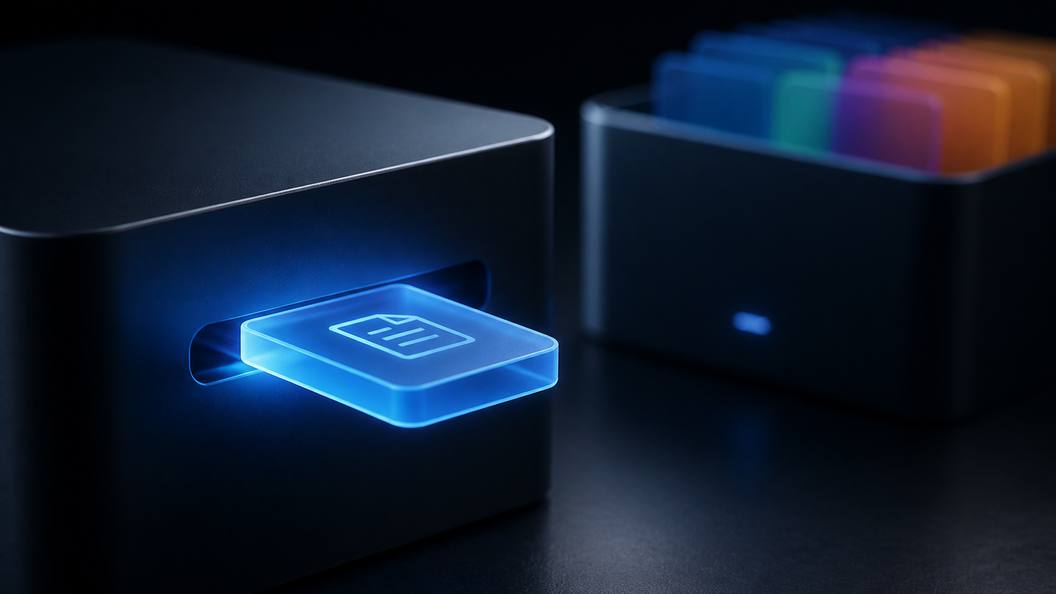
Open the apps workspace A glowing app tile clicking into a slot on a dark agent device, with the PowMCP app box behind it

Connect directly

Choose your agent. Each button opens a new tab with only this app's endpoint ready to add.

Use another agent

Copy one ready-to-send prompt for any agent that supports remote MCP connections.

Manual endpoint, JSON, and terminal commands

For clients that require manual configuration, use this app-only endpoint, its JSON entry, or one terminal command.

ChatGPT: enable Developer mode in Settings → Security and login, then add this MCP endpoint from the Plugins page. Availability depends on your account and workspace policy. PowMCP has not yet verified ChatGPT account linking. OpenAI setup guide

https://powmcp.com/website-speed-test/mcp
{
  "mcpServers": {
    "powmcp-website-speed-test": {
      "type": "http",
      "url": "https://powmcp.com/website-speed-test/mcp"
    }
  }
}

Terminal agents add this app with one command:

Claude Code
claude mcp add --transport http powmcp-website-speed-test https://powmcp.com/website-speed-test/mcp
Codex CLI
codex mcp add powmcp-website-speed-test --url https://powmcp.com/website-speed-test/mcp
Gemini CLI
gemini mcp add --transport http powmcp-website-speed-test https://powmcp.com/website-speed-test/mcp

Manage, disable, or remove this connection in your agent's own MCP settings. PowMCP does not label an external connection as installed without confirmation from that client.

Proof

What it does

Real headless-Chrome Lighthouse speed tests: scores, lab performance metrics, ranked fixes

Run a real Lighthouse audit on any public page: performance score, Lighthouse lab performance metrics (FCP, LCP, CLS, TBT, Speed Index), and the top improvement opportunities with estimated savings, or race 2-5 URLs on the same device profile and rank them fastest first. LCP and CLS are lab observations; TBT is an INP diagnostic proxy, not an INP measurement. Headless Chrome on our own hardware, no PageSpeed API quota, no signup.

Category
Developer Tools

Request cost1 completed result

Guests get 50 lifetime app requests. Free accounts get 100 each calendar month.

Tools in this app

01

Speed Audit

speed_audit

Runs a real headless-Chrome Lighthouse audit on one public URL and returns category scores (0-100), lab metrics (FCP, LCP, CLS, TBT, Speed Index), and the top improvement opportunities with estimated savings. Typically 10-15 seconds.

02

Speed Compare

speed_compare

Runs headless-Chrome Lighthouse performance audits on 2-5 URLs with the same device profile and ranks them fastest first, returning each page's performance score and key lab metrics plus a winner only when one page has the highest performance score. Audits run in parallel: about 12 seconds for two URLs, up to about 35 seconds for five.
Website Speed Test questions

Scope and boundaries for Website Speed Test.

01What can I check with Website Speed Test?

Run a mobile performance audit for https://example.com, or compare it with https://www.wikipedia.org using the same mobile device profile.

02How should I read the result?

Read the selected strategy's performance score and lab metrics first, then address opportunities from the largest estimated saving downward and rerun under the same profile. There is no pass verdict: one Lighthouse run is a variable lab snapshot, not real-user field performance. In comparisons, winner exists only for a sole highest performance score; ties and failed audits make the comparison inconclusive.

03What are its limits?

These are Lighthouse lab observations from headless Chrome on the service's hardware, not field data from real users. LCP and CLS are lab measurements, TBT is only an INP diagnostic proxy, estimated savings are not guarantees, and results can vary between runs and device profiles.